On this page

How To Add Breadcrumbs To Your Wordpress Site — Complete 2026 Guide

Learn how to add breadcrumbs to your WordPress site with this complete guide. Improve navigation, boost SEO, and increase conversions step-by-step

How To Add Breadcrumbs To Your Wordpress Site — Complete 2026 Guide
Honest Design Team Online
Like the ideas in this article? Let’s build one for your business.

Imagine a small business owner in Jaipur — let’s call her Priya — who sells handcrafted leather bags through her WordPress website. She’s been working hard on her SEO for months. She’s posted on Instagram, optimized her product descriptions, and even hired a local content writer to create blog posts. Yet every time a potential customer from Delhi or Bangalore clicks through to her site from Google, they land on a product page and have no idea how to navigate back. They feel lost, they bounce, and Priya loses a sale she never even knew was within reach.

This exact scenario plays out thousands of times every single day across India’s booming e-commerce and small business landscape. With over 63 million small and medium businesses in India, and a rapidly growing number of them building an online presence through WordPress, the gap between having a website and having a website that actually converts is wider than most entrepreneurs realise. And here’s a startling fact: according to industry research, nearly 70% of Indian small business websites are missing a critical navigational feature that major e-commerce giants like Myntra, Flipkart, and Amazon use on every single page — breadcrumbs.

So, what does it mean to add breadcrumbs to your WordPress site, and why should this be your next task this weekend?

Breadcrumbs are those small, clickable navigation links you typically see near the top of a webpage — usually something like Home → Blog → Digital Marketing → SEO Tips. They act as a visual trail that tells your visitors exactly where they are on your website and how they can easily retrace their steps to a previous section. If you’ve ever shopped on Amazon and noticed the “Home > Electronics > Mobiles > Apple” path at the top of a product listing, you’ve seen breadcrumbs in action. They’re simple, they’re unobtrusive, and yet they play an outsized role in shaping how users experience your website, how long they stay, and ultimately, whether they become your customer.

For Indian businesses specifically, breadcrumbs carry extra weight. India’s internet user base has crossed 900 million, with a massive chunk of first-time online shoppers coming from Tier 2 and Tier 3 cities. These users are often less familiar with complex website navigation and rely heavily on visual cues to orient themselves. A clean breadcrumb trail reduces confusion, builds trust, and makes your site feel professional — three things that matter enormously when you’re competing against better-funded brands with slicker interfaces. On the SEO side, breadcrumbs help Google’s crawlers understand the hierarchical structure of your site, which can lead to richer search results and a genuine boost in your click-through rates from the search engine results page.

In this comprehensive guide, you’re going to learn exactly how to add breadcrumbs to your WordPress website, whether you’re using a popular page builder, a theme that has built-in breadcrumb support, or writing a bit of simple code for full control. We’ll walk you through three different methods — using a dedicated plugin (the easiest route for beginners), editing your theme files (for those who want more control), and leveraging schema markup so that your breadcrumbs actually appear as rich snippets in Google’s search results. Each method is practical, tested, and designed with the Indian small business owner in mind — someone who may not have a developer on retainer but who deserves a professional, high-converting website.

By the time you finish reading, you’ll not only understand what breadcrumbs are and why they matter for both your users and your search rankings, but you’ll also have a step-by-step roadmap to implement them today, regardless of your technical comfort level. Whether you run a boutique clothing store in Mumbai, a coaching centre in Lucknow, or a tech blog from Pune, adding breadcrumbs is one of the quickest wins in web design that most people overlook.

Let’s dive in.

Pain Points

Breadcrumbs Break the User Journey for Mobile-First Indian Shoppers

Mobile users in India now account for over 70% of all web traffic, yet most Indian business websites still deploy desktop-first navigation that collapses awkwardly on smaller screens. When a shopper browsing a fashion store on their phone encounters a nested product category like Home → Women → Ethnic Wear → Kurtas → Anarkali Kurtas, the breadcrumb trail often either truncates entirely, wraps unevenly, or becomes an unclickable text block. This forces the user to manually press the back button repeatedly — a friction-heavy experience that directly contradicts the seamless browsing expectation set by apps like Myntra and Flipkart. For an Indian D2C brand investing heavily in Instagram and Google ads, a broken breadcrumb on mobile doesn’t just frustrate users — it actively kills conversions by severing the logical exit path back to category or subcategory pages.

The problem compounds when Indian businesses use legacy WordPress themes that were never optimised for mobile viewport widths. A breadcrumb bar that looks clean on a 15-inch laptop monitor becomes a 4-line stacked nightmare on a budget Redmi or Samsung A-series phone — the devices most of your target audience is using. Beyond aesthetics, Google’s mobile-first indexing means your breadcrumb structure is being evaluated as it appears on mobile. A poorly rendered or invisible breadcrumb trail means search engine crawlers struggle to understand your site’s hierarchical structure, directly hurting your rankings for local and niche category keywords.

Why Breadcrumbs Are Essential for Indian WordPress Sites

While the “Pain Points” section highlighted the critical issues faced by mobile-first Indian shoppers due to missing or broken breadcrumbs, it’s equally important to understand the profound positive impact these seemingly small navigational elements can have. For an Indian business operating on WordPress, implementing breadcrumbs isn’t just about fixing a problem; it’s about unlocking a suite of advantages that directly translate to better user experience, stronger SEO, and ultimately, increased conversions in a highly competitive digital landscape.

Elevating User Experience for India’s Diverse Internet Users

India’s internet user base is incredibly diverse, encompassing seasoned online shoppers in metro cities like Bengaluru and Mumbai, and millions of first-time users from Tier 2 and Tier 3 cities who are just getting acquainted with online transactions. For these newer users, website navigation can often be a labyrinth. Breadcrumbs act as a reassuring guide, a constant reminder of their location within your site’s structure. Imagine a user from Kanpur looking for a specific type of sari on an e-commerce site. Without breadcrumbs, if they land deep within a product page, they might feel disoriented and abandon the site. With a clear path like Home → Women's Wear → Sarees → Silk Sarees → Kanjivaram Silk Sarees, they instantly understand the context and can easily navigate back to browse other silk saree options or broader saree categories. This clarity reduces cognitive load, builds confidence, and fosters a sense of trust – crucial factors for converting first-time online buyers in India.

Bolstering SEO and Rich Snippets in Google India

Beyond user experience, breadcrumbs are a powerful tool for search engine optimization, especially for Google India. Google’s crawlers use breadcrumbs to understand the hierarchical structure of your website, which helps them index your content more effectively. When Google understands your site’s architecture, it can better rank your pages for relevant keywords. More importantly, properly implemented breadcrumbs, especially with Schema.org markup, can appear as “rich snippets” directly in the Google search results. Instead of just showing your URL, Google might display HonestWebs.in > Blog > WordPress Tips > Breadcrumbs in the search results. This visual enhancement makes your listing stand out, increases its perceived credibility, and has been proven to significantly boost click-through rates (CTR) from the search engine results page (SERP). For an Indian business vying for attention against countless competitors, a higher CTR means more potential customers landing on your site, without necessarily spending more on ads.

Reducing Bounce Rates and Increasing Time on Site

Lost users are bouncing users. When a visitor can’t find their way around, they’re more likely to hit the back button. Breadcrumbs provide an immediate escape route, allowing users to quickly jump to a broader category rather than leaving your site entirely. For a travel agency based in Delhi, if a user lands on a specific package page for “Kerala Backwaters Tour” and decides it’s not for them, a breadcrumb trail like Home → India Tours → South India Tours → Kerala Tours allows them to easily explore other Kerala packages or even broader South India tours, keeping them engaged with your offerings. This not only reduces your bounce rate – a key SEO metric – but also increases the average time users spend on your site, signaling to Google that your content is valuable and relevant.

A Competitive Edge in the Indian Digital Market

With millions of small businesses going online in India, standing out is paramount. While many Indian WordPress sites focus on aesthetics and basic functionality, a significant number still overlook critical usability features like breadcrumbs. By implementing them, you immediately gain a competitive edge. Your site will appear more professional, easier to navigate, and more user-friendly than those of your rivals. This subtle difference can be the deciding factor for a customer choosing between your handicraft store in Jaipur and another similar store that offers a confusing online experience. In a market where customer loyalty is hard-won, a superior user experience can build lasting relationships and repeat business.

Building Trust and Professionalism

For many Indian consumers, particularly those new to online shopping, trust is a major barrier. A well-structured website that is easy to navigate conveys professionalism and reliability. Breadcrumbs contribute significantly to this perception. They demonstrate that you’ve thought about your users’ journey and designed your site with their convenience in mind. This attention to detail can be particularly impactful for businesses dealing with higher-value transactions, such as real estate firms in Mumbai or educational consultancies in Chennai, where trust is non-negotiable. It signals that your business is legitimate, organised, and customer-centric, fostering confidence in your brand.

Types of Breadcrumbs and How They Impact SEO in India

Understanding the different types of breadcrumbs is crucial for strategic implementation on your WordPress site, especially when considering the diverse navigation patterns and search queries prevalent in the Indian market. Each type serves a slightly different purpose and has distinct implications for how Google perceives your site’s structure and presents it in search results.

Hierarchy-Based (Location-Based) Breadcrumbs

This is the most common and widely recognized type of breadcrumb. It reflects the structure of your website, showing the user’s current position within the site’s hierarchy, from the homepage down to the current page.

  • Example: Home → Category → Subcategory → Current Page
  • Indian Context: Imagine an online grocery store in Bengaluru. A customer looking for organic spices might see: Home → Groceries → Spices & Seasonings → Organic Spices → Organic Turmeric Powder. This clearly maps out their journey through the store’s product categories. For a blog about Indian travel destinations, it could be Home → Destinations → North India → Rajasthan → Jaipur Travel Guide.
  • SEO Impact: Hierarchy-based breadcrumbs are excellent for reinforcing your site’s logical structure to search engines. When used with BreadcrumbList Schema Markup, they help Google understand the relationships between your pages, which can lead to better indexing and more relevant rich snippets in the SERP. They are particularly beneficial for e-commerce sites and large content hubs, which often have deep, nested categories.

Attribute-Based (Filter-Based) Breadcrumbs

These breadcrumbs are typically found on e-commerce sites where users can filter products based on various attributes like brand, colour, size, price range, or material. They show the filters applied by the user, not necessarily the static site hierarchy.

  • Example: Home → Electronics → Mobiles → Brand: Samsung → Price: ₹10,000-₹20,000
  • Indian Context: Consider a fashion e-commerce site like Myntra or Flipkart. A user searching for a specific type of Kurta might navigate like this: Home → Women's Fashion → Ethnic Wear → Kurtas → Brand: Aurelia → Colour: Blue → Size: M. Each filter applied adds an element to the breadcrumb, allowing the user to easily remove or modify a filter by clicking back. This is incredibly useful for Indian shoppers who often have very specific requirements for products like ethnic wear, electronics, or home appliances.
  • SEO Impact: While attribute-based breadcrumbs enhance user experience, their direct SEO impact needs careful handling. If each filter combination creates a unique URL, it can lead to a large number of duplicate or near-duplicate pages, which can dilute SEO efforts. Best practice involves using canonical tags to point to the main category page or ensuring that only SEO-relevant filter combinations are indexed. However, when implemented correctly (e.g., using Schema.org for filter values where appropriate or ensuring URLs are clean), they provide valuable context to Google about the range of products and options available, improving visibility for specific, long-tail product searches.

Path-Based (History-Based) Breadcrumbs

Less common and generally not recommended for SEO purposes, path-based breadcrumbs display the actual path a user took to arrive at the current page.

  • Example: Home → Visited Page 1 → Visited Page 2 → Current Page
  • Indian Context: While this might seem intuitive for a user’s immediate journey, it doesn’t reflect the site’s static structure and can be inconsistent. For instance, if a user from Hyderabad browses a travel blog and jumps from an article about “Goa Beaches” to “Himalayan Treks” and then “Mumbai Street Food,” a path-based breadcrumb would show that exact, potentially illogical, sequence.
  • SEO Impact: Path-based breadcrumbs offer minimal SEO value as they don’t provide a consistent, hierarchical structure for search engine crawlers. Google primarily looks for a logical, stable site structure. These are generally avoided for public-facing websites and are more often found in internal application interfaces.

The Crucial Role of Schema Markup for Indian SEO

Regardless of the type, for breadcrumbs to truly impact your SEO in India, they must be implemented with Schema.org markup, specifically the BreadcrumbList schema. This structured data tells Google explicitly that these links are breadcrumbs and how they relate to each other.

  • Why it matters for India: In a country with massive search volumes and increasing competition, making your search results stand out is vital. Rich snippets generated by BreadcrumbList schema can make your listing in Google India’s SERP visually more appealing and informative. This can lead to a higher CTR, pulling more organic traffic to your WordPress site. For businesses targeting specific regions or product categories, this clarity in search results can be a game-changer.
  • Implementation: Most popular WordPress SEO plugins like Yoast SEO or Rank Math automatically add BreadcrumbList schema when you enable their breadcrumb feature. If you’re manually adding breadcrumbs, you’ll need to embed the JSON-LD or Microdata directly into your theme files. Google’s Rich Results Test tool is indispensable for verifying that your schema markup is correctly implemented and eligible for rich snippets.

In essence, for Indian WordPress sites, hierarchy-based breadcrumbs are the foundational choice for establishing a clear site structure and benefiting from strong SEO. Attribute-based breadcrumbs are excellent for enhancing the user experience on e-commerce platforms, provided they are managed carefully for SEO. Leveraging Schema.org markup is non-negotiable for both types, ensuring that Google not only understands your breadcrumbs but also showcases them prominently in search results, giving your business an edge in the bustling Indian digital market.

Use Cases

Breadcrumbs are not a one-size-fits-all solution; their true value emerges when tailored to specific business models and user journeys. For Indian businesses, understanding these practical applications can help you visualise how breadcrumbs will enhance your WordPress site and directly contribute to your bottom line.

1. E-commerce Store: Handcrafted Textiles from Ahmedabad

Imagine “VastraVani,” a WordPress e-commerce store based in Ahmedabad, selling exquisite handcrafted textiles like block-printed sarees, bandhani dupattas, and kutchi embroidery fabrics directly to customers across India. Their website has numerous categories and subcategories, and shoppers often browse by craft, region, or product type.

  • The Challenge: A customer from Kolkata lands on a specific “Bandhani Silk Saree” product page directly from a Google search. They love the saree but want to see other Bandhani designs, or perhaps explore other silk sarees. Without breadcrumbs, they might feel trapped on that single product page, unsure how to navigate back to a broader category without returning to the homepage or using the browser’s back button multiple times.
  • The Breadcrumb Solution: VastraVani implements hierarchy-based breadcrumbs that clearly show the product’s path: Home → Sarees → Silk Sarees → Bandhani Silk Sarees → Blue Bandhani Silk Saree with Zari Border Now, the Kolkata customer can easily click on “Bandhani Silk Sarees” to see all designs in that category, or “Silk Sarees” to explore all types of silk sarees VastraVani offers. This seamless navigation encourages deeper exploration, increases the average session duration, and significantly boosts the chances of a sale. Furthermore, if VastraVani uses attribute-based breadcrumbs for filters, a customer could see Home → Sarees → Silk Sarees → Colour: Red → Price: Below ₹5000, allowing them to refine or broaden their search instantly.

2. Educational Institute: IIT-JEE Coaching Centre in Kota

“Ignite Minds Academy” in Kota, a renowned coaching centre for IIT-JEE and NEET aspirants, uses WordPress to manage its course information, faculty profiles, and student resources. They have dedicated pages for various programs, subjects, and batch details.

  • The Challenge: A parent from Patna is researching coaching options for their child. They land on a specific page detailing the “IIT-JEE 2025 Foundation Batch” from an ad. They want to compare this batch with other programs, perhaps for NEET or different academic years, or explore the faculty who teach for this specific batch. Without clear navigation, they might struggle to find the main “IIT-JEE Programs” section or the “Faculty” directory.
  • The Breadcrumb Solution: Ignite Minds Academy implements breadcrumbs that guide parents and students through their program offerings: Home → Programs → IIT-JEE Coaching → Foundation Batches → IIT-JEE 2025 Foundation Batch This allows the parent to easily jump back to “Foundation Batches” to see other academic years, or “IIT-JEE Coaching” to explore advanced programs. A separate breadcrumb trail could be used for faculty profiles: Home → About Us → Our Faculty → Physics Department → Dr. R.K. Sharma. This structured navigation makes the vast amount of information manageable, builds confidence in the institution’s professionalism, and helps potential students and parents quickly find the information they need to make an informed decision, reducing inquiry drop-offs.

3. Real Estate Portal: Properties in Bengaluru and Hyderabad

“UrbanSpaces,” a WordPress-powered real estate portal focusing on properties in Bengaluru and Hyderabad, lists thousands of apartments, villas, and commercial spaces. Users can search by city, locality, property type, budget, and amenities.

  • The Challenge: A potential buyer from Delhi searches for “3 BHK apartments in HSR Layout, Bengaluru” and lands on a specific property listing page. After viewing it, they want to see other properties in HSR Layout, or perhaps properties in a nearby locality like Koramangala, or even switch to viewing villas instead of apartments. Without breadcrumbs, they might have to re-enter their search criteria or use the main menu, which can be cumbersome.
  • The Breadcrumb Solution: UrbanSpaces leverages breadcrumbs to provide a clear path through their extensive listings: Home → Properties in Bengaluru → HSR Layout → Apartments → 3 BHK Apartments → Prestige Park Square (HSR Layout) This allows the user to click on “3 BHK Apartments” to see all similar listings in HSR Layout, or “HSR Layout” to view all property types in that area. They could even go back to “Properties in Bengaluru” to explore other localities. For attribute-based filters, it might look like Home → Properties in Bengaluru → Apartments → Budget: ₹1 Cr - ₹1.5 Cr → Bedrooms: 3. This flexibility significantly improves the user experience for property seekers, who often spend considerable time refining their search. It reduces frustration, encourages longer browsing sessions, and increases the likelihood of finding a suitable property and submitting an inquiry.

These use cases demonstrate that breadcrumbs are far more than just aesthetic additions. For Indian WordPress sites, they are a strategic navigational tool that directly addresses user behaviour, enhances discoverability, and supports business objectives across diverse industries, from e-commerce and education to real estate.

Implementation Roadmap

Now that you understand the immense value breadcrumbs bring to your WordPress site, especially for the Indian market, let’s get down to the practical steps of implementing them. There are primarily three methods, ranging from beginner-friendly plugin solutions to more advanced manual code integration, and finally, ensuring your breadcrumbs are search engine-friendly with schema markup.

Method 1: Using a WordPress Plugin (The Easiest Route for Beginners)

This is by far the most straightforward method and highly recommended for most Indian small business owners who may not have extensive coding knowledge. Popular SEO plugins like Yoast SEO and Rank Math come with robust breadcrumb functionalities.

Step-by-Step Guide:

  1. Install and Activate Your Chosen SEO Plugin:
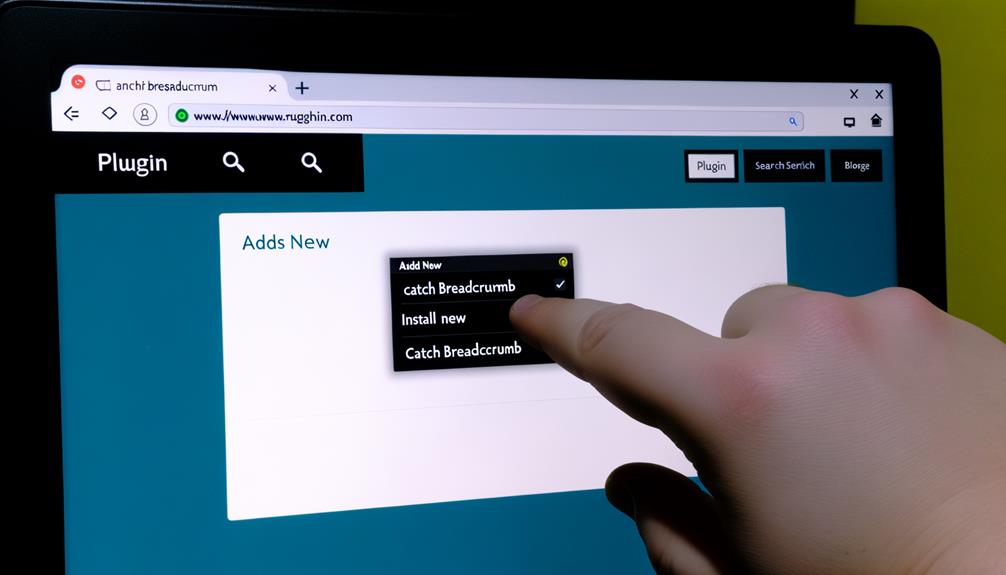
    • From your WordPress dashboard, navigate to Plugins → Add New.
    • Search for “Yoast SEO” or “Rank Math.”
    • Click “Install Now” and then “Activate.”
    • These plugins are widely used across India, offering comprehensive SEO features beyond just breadcrumbs.
  2. Enable Breadcrumbs in Plugin Settings:
    • For Yoast SEO: Go to Yoast SEO → Settings → Advanced → Breadcrumbs. Toggle the “Enable breadcrumbs” option to ON. You’ll find options to customize the separator (e.g., or /), the anchor text for the homepage, and whether to include the blog page.
    • For Rank Math: Go to Rank Math → General Settings → Breadcrumbs. Toggle the “Enable Breadcrumbs function” to ON. Similar to Yoast, you can customize the separator, homepage label, and other display options.
  3. Integrate Breadcrumbs into Your Theme:
    • While some modern WordPress themes (especially those designed for e-commerce like Astra, Kadence, or GeneratePress) might automatically display breadcrumbs once enabled in your SEO plugin, many older or custom themes require a small code snippet.
    • Access Theme Files: You’ll need to edit your theme’s files. It’s highly recommended to use a child theme to prevent your changes from being overwritten during theme updates. If you don’t have a child theme, consider creating one or using a plugin like “Code Snippets” to add code without directly editing theme files.
    • Locate the Right Spot: The ideal placement for breadcrumbs is typically just above the main content area, often in files like header.php, single.php, page.php, or archive.php.
    • Add the Code Snippet:
      • For Yoast SEO: Add <?php if ( function_exists('yoast_breadcrumb') ) { yoast_breadcrumb( '<p id="breadcrumbs">','</p>' ); } ?>
      • For Rank Math: Add <?php if (function_exists('rank_math_the_breadcrumbs')) rank_math_the_breadcrumbs(); ?>
      • Paste this snippet where you want the breadcrumbs to appear. A good starting point is often right after the main header <header> or before the main content <main> tag.
  4. Style Your Breadcrumbs (Optional but Recommended):
    • Your theme’s default CSS might style the breadcrumbs, but you can customize them to match your brand.
    • Use your theme’s “Customizer” (Appearance → Customize → Additional CSS) or your child theme’s style.css file.
    • Target the id="breadcrumbs" (for Yoast) or the classes generated by Rank Math (inspect your page source to find them, often .rank-math-breadcrumb).
    • Example CSS:
      #breadcrumbs {
          font-size: 0.9em;
          color: #666;
          margin-bottom: 20px;
          padding: 10px 0;
          background-color: #f9f9f9;
      }
      #breadcrumbs a {
          color: #007bff; /* Link color */
          text-decoration: none;
      }
      #breadcrumbs a:hover {
          text-decoration: underline;
      }
      #breadcrumbs span.separator {
          margin: 0 5px;
          color: #999;
      }
    • Ensure your styling is responsive for mobile users, which is crucial for the Indian audience.

Method 2: Manually Adding Code to Your Theme (For More Control)

This method is for users who want full control over their breadcrumbs without relying on a plugin, or whose theme might have a built-in function for breadcrumbs that they want to activate. This requires a basic understanding of PHP and WordPress theme structure.

Step-by-Step Guide:

  1. Create a Child Theme: This is non-negotiable for manual code edits. Never modify your parent theme directly, or your changes will be lost with updates.
  2. Locate Relevant Theme Files: Identify where you want the breadcrumbs to appear. Common files include:
    • header.php: For site-wide display (e.g., just below the header).
    • single.php: For blog posts.
    • page.php: For static pages.
    • archive.php, category.php, tag.php: For archive pages.
    • functions.php: To add the breadcrumb generation function.
  3. Add a Custom Breadcrumb Function to functions.php (in your child theme):
    • You can find many examples of custom breadcrumb functions online. Here’s a simplified example:
      function custom_wordpress_breadcrumbs() {
          $delimiter = '&raquo;'; // Separator between links
          $home = 'Home'; // Text for the 'Home' link
          $before = '<span class="current">'; // Tag before the current page
          $after = '</span>'; // Tag after the current page
      
          if ( !is_home() && !is_front_page() || is_paged() ) {
              echo '<div id="breadcrumbs">';
              global $post;
              $homeLink = get_home_url();
              echo '<a href="' . $homeLink . '">' . $home . '</a> ' . $delimiter . ' ';
      
              if ( is_category() ) {
                  global $wp_query;
                  $cat_obj = $wp_query->get_queried_object();
                  $thisCat = $cat_obj->term_id;
                  $thisCat = get_category($thisCat);
                  $parentCat = get_category($thisCat->parent);
                  if ($thisCat->parent != 0) echo(get_category_parents($parentCat, TRUE, ' ' . $delimiter . ' '));
                  echo $before . single_cat_title('', false) . $after;
              } elseif ( is_single() && !is_attachment() ) {
                  if ( get_post_type() != 'post' ) {
                      $post_type = get_post_type_object(get_post_type());
                      $slug = $post_type->rewrite;
                      echo '<a href="' . $homeLink . '/' . $slug['slug'] . '/">' . $post_type->labels->singular_name . '</a> ' . $delimiter . ' ';
                      echo $before . get_the_title() . $after;
                  } else {
                      $category = get_the_category();
                      if (!empty($category)) {
                          $category = $category[0];
                          echo get_category_parents($category, TRUE, ' ' . $delimiter . ' ');
                      }
                      echo $before . get_the_title() . $after;
                  }
              } elseif ( is_page() && !$post->post_parent ) {
                  echo $before . get_the_title() . $after;
              } elseif ( is_page() && $post->post_parent ) {
                  $parent_id  = $post->post_parent;
                  $breadcrumbs = array();
                  while ($parent_id) {
                      $page = get_page($parent_id);
                      $breadcrumbs[] = '<a href="' . get_permalink($page->ID) . '">' . get_the_title($page->ID) . '</a>';
                      $parent_id  = $page->post_parent;
                  }
                  $breadcrumbs = array_reverse($breadcrumbs);
                  foreach ($breadcrumbs as $crumb) echo $crumb . ' ' . $delimiter . ' ';
                  echo $before . get_the_title() . $after;
              } elseif ( is_search() ) {
                  echo $before . 'Search results for "' . get_search_query() . '"' . $after;
              } elseif ( is_tag() ) {
                  echo $before . 'Posts tagged "' . single_tag_title('', false) . '"' . $after;
              } elseif ( is_author() ) {
                  global $author;
                  $userdata = get_userdata($author);
                  echo $before . 'Articles by ' . $userdata->display_name . $after;
              } elseif ( is_404() ) {
                  echo $before . 'Error 404' . $after;
              }
              echo '</div>';
          }
      }
  4. Call the Function in Your Theme Templates:
    • In the appropriate theme files (e.g., header.php, single.php), add <?php custom_wordpress_breadcrumbs(); ?> where you want the breadcrumbs to appear.
  5. Style with CSS: Similar to Method 1, use your child theme’s style.css to style the #breadcrumbs div and its contents.

Method 3: Leveraging Schema Markup (For Rich Snippets in Google India)

This is a critical step for maximizing the SEO benefits of your breadcrumbs, especially for visibility in Google India search results.

  1. Verification (If using a Plugin):
    • Most good SEO plugins (Yoast, Rank Math) automatically add BreadcrumbList Schema Markup to your page’s HTML when you enable their breadcrumb feature.
    • To verify, view the source code of your page (right-click, “View Page Source” or “Inspect Element”). Search for itemtype="http://schema.org/BreadcrumbList" or {"@context": "https://schema.org", "@type": "BreadcrumbList".
  2. Manual JSON-LD Implementation (If not using a plugin or for advanced customisation):
    • If you’re implementing breadcrumbs manually or your theme’s built-in breadcrumbs don’t include schema, you’ll need to add it yourself.
    • This is typically done by adding a <script type="application/ld+json"> block to the <head> or <body> of your page.
    • Example JSON-LD (to be adapted dynamically for each page):
      <script type="application/ld+json">
      {
        "@context": "https://schema.org",
        "@type": "BreadcrumbList",
        "itemListElement": [
          {
            "@type": "ListItem",
            "position": 1,
            "name": "Home",
            "item": "https://www.yourwebsite.com/"
          },
          {
            "@type": "ListItem",
            "position": 2,
            "name": "Blog",
            "item": "https://www.yourwebsite.com/blog/"
          },
          {
            "@type": "ListItem",
            "position": 3,
            "name": "WordPress Tips",
            "item": "https://www.yourwebsite.com/blog/wordpress-tips/"
          },
          {
            "@type": "ListItem",
            "position": 4,
            "name": "How To Add Breadcrumbs To Your Wordpress Site"
          }
        ]
      }
      </script>
    • This JSON-LD needs to be dynamically generated for each page, reflecting its specific breadcrumb path. This often requires custom PHP code in your functions.php or a dedicated plugin.
  3. Test with Google’s Rich Results Test:
    • Go to https://search.google.com/test/rich-results.
    • Enter the URL of a page on your site where you’ve implemented breadcrumbs.
    • The tool will analyze your page and report if the BreadcrumbList schema is detected and valid. If successful, it means your breadcrumbs are eligible to appear as rich snippets in Google search results, enhancing your site’s visibility for Indian users.

By following this roadmap, whether you opt for the simplicity of a plugin or the control of manual code, you can successfully implement breadcrumbs on your WordPress site. Remember to test thoroughly and ensure mobile responsiveness, as these are key for capturing and retaining the attention of the vast and growing Indian online audience.

Best Practices for Breadcrumb Design and Placement on Indian Websites

Implementing breadcrumbs correctly goes beyond just making them functional; it involves thoughtful design and strategic placement that enhances user experience and aligns with the browsing habits of the Indian internet user base. Poorly designed or placed breadcrumbs can be as detrimental as having none at all.

Optimal Placement: Above the Fold, Below the Header

For maximum visibility and utility, breadcrumbs should always be placed consistently in a prominent location.

  • Standard Position: The universally accepted best practice is to place breadcrumbs near the top of the page, usually just below the main navigation menu or header, and above the main content area (e.g., product title, blog post title). This ensures users see them immediately upon landing on a page, providing instant orientation.
  • Indian Context: Given the prevalence of mobile-first users in India, ensure this placement is maintained on smaller screens. Avoid placing them so high that they are pushed off-screen by sticky headers, or so low that they are mistaken for a footer element. For an e-commerce site selling kurtis or sarees, seeing Home > Ethnic Wear > Kurtis > Anarkali Kurtis right below the brand logo helps a shopper immediately understand where they are, even if they landed directly on a product page.

Clear and Legible Styling: Subtle Yet Distinct

Breadcrumbs should be helpful guides, not distracting elements. Their styling needs to be subtle but clearly distinguishable from other text.

  • Font and Size: Use a slightly smaller font size than your main body text (e.g., 0.8em to 0.9em). The font should be clean and highly legible, using common web-safe fonts that render well across various devices and browsers, including those on budget smartphones common in India.
  • Colour Contrast: Ensure sufficient colour contrast between the breadcrumb text, links, and the background. Active links should be a distinct colour, usually your brand’s accent colour, while non-active text (like the current page) can be a muted grey. For example, Home → Blog → SEO Tips → Current Article might have blue for links and dark grey for the current article and separator.
  • Separators: Use clear, unobtrusive separators like , >, or /. Avoid overly decorative or large separators that draw too much attention. The simple arrow is widely understood and effective.

Further reading

For deeper background see WordPress.org official news.

Honest Design Team Online
Like the ideas in this article? Let’s build one for your business.
Honest Design Team Online
Like the ideas in this article? Let’s build one for your business.

Need a website like this?

Chat with our AI and get matched with a designer in minutes.

Start your project →
Related topics: wordpress navigation menu, breadcrumb navigation plugin, site structure optimization, schema markup implementation, yoast seo breadcrumbs, user experience design, wordpress theme customization, google rich snippets

Ananya Sharma

Web design strategist at HonestWebs. Writes about AI in web design, conversion-led layouts, and helping Indian businesses get online faster.