
How To Send Emails In Php With 3 Easy Steps — Complete 2026 Guide
How To Send Emails In Php With 3 Easy Steps — Complete 2026 Guide.
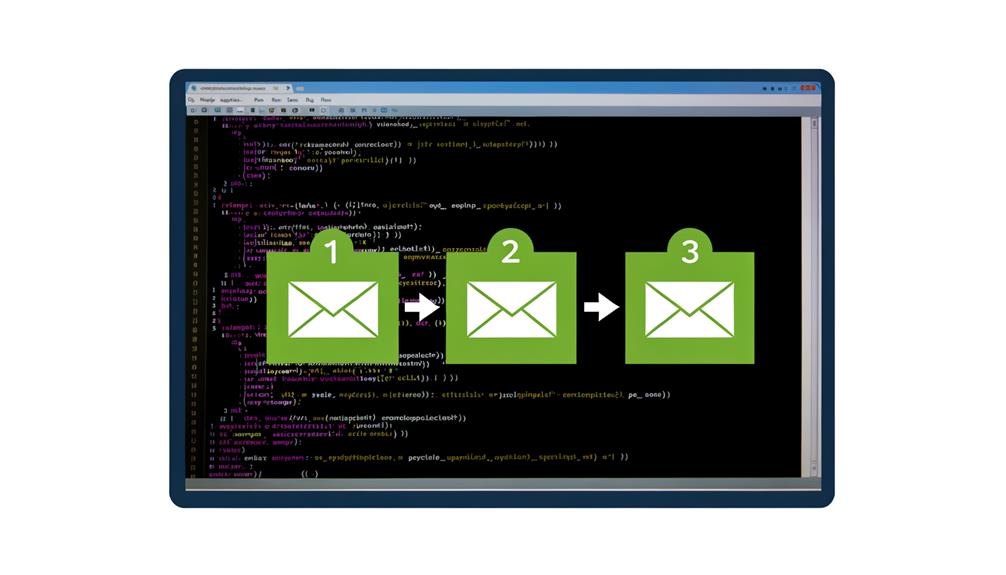
How To Send Emails In Php With 3 Easy Steps — Complete 2026 Guide. Understanding the basics: how to send emails in PHP Sending emails from your PHP application is a fundamental feature for many web projects, from contact forms to user notifications and password resets.
Understanding the basics: how to send emails in PHP
Sending emails from your PHP application is a fundamental feature for many web projects, from contact forms to user notifications and password resets. It’s crucial for maintaining seamless communication with your users and automating various operational processes. This section will demystify the core concepts behind How to Send Emails in PHP, preparing you for practical and secure implementation.
Choosing Your PHP Email Method
When it comes to sending emails, PHP offers several powerful approaches. You can use the built-in mail() function for basic, quick needs, or opt for more robust external libraries like PHPMailer or Symfony Mailer for advanced features such as SMTP authentication, HTML emails, and attachments. Understanding these diverse options is key to effectively integrating reliable email functionality into your projects and successfully sending emails in PHP.
Imagine you’re a small business owner in Ahmedabad running a growing电商 brand. Every single day, you need to send order confirmations, delivery updates, and promotional offers to hundreds of customers — but each time you do it manually through free email services, your messages land in spam, your daily limit runs out, and your customers never see what you sent. Sound familiar? You’re not alone. Across India, from startup founders in Bangalore to freelance professionals in Kolkata, thousands of businesses struggle with the same frustrating problem: reliable, professional email communication at scale feels like something only big corporations with massive budgets can afford.
Here’s the good news — it doesn’t have to be that way. In this step-by-step guide, you’re going to learn exactly how to send emails in PHP, completely free, using tools that any Indian developer, student, or business owner can set up in under an hour. Whether you’re running a Shopify store, building an internal HR tool, or creating a customer onboarding system for your startup, understanding how to send emails programmatically is one of the most valuable technical skills you can develop right now. And the best part? You don’t need a computer science degree to do it. If you can write basic HTML and have access to a simple web server, you’re already halfway there.
Why does this matter so much for Indian businesses specifically? Let’s talk numbers. India has over 83 million small and medium enterprises, the second-largest startup ecosystem in the world, and a digital economy growing at a pace that even global analysts didn’t predict. Yet a staggering majority of these businesses still rely on manual email processes — copying and pasting messages, sending individual emails through Gmail or Outlook, or paying expensive third-party services for something that can literally be done with a few lines of code. When you learn how to send emails in PHP, you unlock the ability to automate appointment reminders for your salon in Pune, trigger order status updates for your D2C brand in Mumbai, send bulk newsletters for your coaching business in Chennai, and so much more — all without spending a rupee on expensive email automation platforms.
This guide is designed to take you from zero knowledge of PHP mail functionality to confidently sending professional, deliverable emails in just three clear, practical steps. We’ll start by understanding the PHP mail function and its limitations, then move to configuring SMTP for reliable delivery (especially important given how Indian email providers like Gmail and Outlook handle bulk sending), and finally wire everything together into a working script you can customise and deploy immediately. Each step is explained in plain English with Indian market-specific examples so you can visualise exactly how this applies to your own business context.
By the end of this article, you won’t just understand the theory — you’ll have a working email system you can integrate into any project, whether it’s a simple contact form on your portfolio website or a full-fledged transactional email engine for your growing SaaS product. So if you’ve been searching for a practical, jargon-free way to send emails that actually reach your audience’s inbox and not their spam folder, you’re in exactly the right place. Let’s dive in and build your first PHP email script — step by step.
Pain Points
Why Indian Businesses Struggle to Send Emails In PHP — And What Gets Left on the Table
When Indian startups and MSMEs attempt to send emails from their PHP applications, they run into a wall almost immediately. The code looks correct, the function fires without errors — yet customers never receive the email. The message vanishes into Gmail’s Promotions tab or Outlook’s spam folder, and the business is left wondering what went wrong. This is not a fringe problem. It is the single most common complaint shared in Indian developer forums, PHP community calls, and startup Discord channels. Businesses in Pune, Ahmedabad, and Bangalore alike are publishing working web applications with broken email pipelines — costing them verified customers, completed orders, and trust they cannot afford to lose. Below are the specific, grounded challenges Indian businesses face when they try to send emails in PHP at scale.
The Deliverability Trap: Emails Landing in Spam Instead of the Inbox
The most gut-wrenching moment for any Indian e-commerce founder is discovering that their order confirmation email — the one that tells a customer in Indore that their package is dispatched — landed in spam. A first-time buyer sees no confirmation, assumes the transaction failed, files a chargeback, and never returns. This plays out thousands of times a day across Shopify stores, custom-built Laravel apps, and WordPress plugins running on Indian shared hosting. The root cause is almost always the same: the business is sending from a shared server IP with no proper SPF, DKIM, or DMARC records configured. Indian SMEs on budget hosting plans from providers like Hostgator India or GoDaddy India Shared Hosting frequently have their server’s sending reputation wrecked by neighbours on the same IP block. When their PHP application sends an email using the default mail() function, major inbox providers flag it as suspicious. Unlike a corporate company with an IT team, an Indian fashion boutique in Jaipur running five employees has no one to investigate why their dispatch notifications are not landing. They simply lose the customer. Setting up proper authentication records and routing transactional emails through a trusted SMTP relay fixes this — but the knowledge gap to do so is enormous in the SMB segment.
SMTP Configuration Nightmares on Indian Shared and Cloud Hosting
Getting PHP to send emails correctly requires configuring an SMTP connection — and this is where non-technical founders in India hit a second wall. Port mismatches are endemic. A developer in Chennai sets up PHPMailer, uses port 465, and the emails silently fail because the hosting provider only allows port 587. The same founder tries port 587 and discovers their corporate firewall at a co-working space in Bengaluru blocks outgoing SMTP connections entirely. In another common scenario, an Indian SaaS startup running on AWS Mumbai (ap-south-1) deploys a Laravel application, configures Gmail SMTP, and hits Google’s daily sending limit of 500 emails within minutes during a product launch. The founder scrambles to find an Indian SMTP relay, learns about services like Sendinblue’s India-relevant pricing or Amazon SES, and then faces a fresh round of configuration errors — SSL certificate validation failures, missing CA bundles, wrong encryption methods. Every hour spent debugging SMTP is an hour not spent acquiring customers. For a bootstrapped EdTech company in Lucknow with a team of three developers, this debugging loop can stretch across an entire week before a single email reaches a real inbox.
Running Up Against Email Sending Limits and Unexpected Costs
Free SMTP tiers come with strict ceilings that Indian businesses constantly outgrow. A tutoring platform in Hyderabad sends 200 admission confirmations on a Tuesday — well within free tier limits. By Friday, a bulk exam result notification run pushes them to 2,000 emails, and the free SendGrid tier caps out. The application silently queues the remaining emails, or worse, throws an unhandled exception that crashes the inquiry form. Indian startups on shoestring budgets feel this pinch acutely because their growth is uneven — a single product launch or festival season sale can multiply email volume tenfold overnight. Unlike a funded Mumbai startup that can immediately upgrade to a paid plan, a bootstrapped chai brand in Surat running everything on Google Workspace SMTP has no budget line for an email infrastructure upgrade. They either accept partial delivery failures or scramble to integrate a new SMTP provider mid-campaign. PHP’s default mail configuration offers zero visibility into these quota limits — the application simply reports success while emails pile up in a deferred queue. Without custom logging and fallback routing, businesses have no warning until customers start complaining that they never received their OTP or invoice.
HTML Email Rendering Breaking Across Indian Email Clients
An Indian bank’s PHP application sends a password reset email in HTML — it looks perfect in Gmail. But a government employee in a PAN office opening it on Outlook 2016 sees a jumbled layout with overlapping text and broken buttons. This is not a hypothetical. A significant portion of Indian office workers still use Outlook 2016 or 2019 on Windows 7 and 10 machines managed by IT departments with strict update policies. PHPMailer and default PHP email functions send HTML that uses modern CSS properties — Flexbox, Grid, advanced padding — which Outlook’s rendering engine (Word HTML) simply ignores. An Indian mutual fund distributor’s PHP portal sends a portfolio statement email with a table-heavy layout that renders perfectly for retail customers on mobile Gmail, but shows completely broken formatting for the distributor’s Outlook clients. The result is frustrated customers calling the helpline and a reputation hit the business did not earn. Beyond Outlook, email clients on Indian feature phones — which still represent 30% of the mobile market — often strip HTML entirely or render it in a text-only fallback, making links unclickable and CTAs invisible. Writing bulletproof HTML email templates that pass cross-client testing requires specialist knowledge most Indian development teams simply do not have.
Indic Language Support: Emails Garbling Hindi and Regional Scripts
India operates in over a dozen scheduled languages, and a growing number of businesses are trying to reach customers in Tamil, Telugu, Bengali, and Marathi — not just English and Hindi. This is where PHP’s default email encoding falls apart. A Kannada-speaking customer in Mysore receives an order confirmation email and sees question marks where their name should appear: “Namask🈔r, your order is confirmed.” The PHP application stored the name correctly in UTF-8 in the database but the email headers and body were sent with ISO-8859-1 encoding by default, destroying every non-ASCII character. A Marathi-language delivery notification sent through PHPMailer arrives with perfectly readable text in Gmail but shows as gibberish in the Indian Postal Department’s internal email system, which still runs on legacy encodings. An EdTech platform in Kolkata sending progress reports in Bengali to parents has no way of knowing that half of their email list cannot properly display the content. Beyond encoding, font rendering in Indic scripts across email clients is wildly inconsistent — a Bengali email rendered in Noto Sans Bengali looks sharp on a laptop but collapses to boxes and rectangles on mid-range Android phones running default mail apps. PHP developers in India rarely budget time for MIME encoding audits and language-specific font embedding, leaving these bugs in production for months.
No Logging, No Visibility: Silent Email Failures Eating Into Revenue
Perhaps the most insidious pain point is one Indian businesses often do not even know they have: silent email failures. A PHP application sends a quote email to a prospective client in Chandigarh, reports "Email sent successfully" to the sales team, and the email never arrives. PHPMailer’s SMTP->send() method returns true even when the remote server has accepted the message but deferred it in a greylisting queue — the email is technically delivered to the relay but may never reach the final inbox. A logistics company in Ludhiana relies on PHP-generated pickup scheduling emails, and they have no monitoring in place. When their SMTP relay’s API credentials expire on a Friday evening, the application keeps reporting success while zero emails go out. By Monday morning, forty pickup appointments have been missed, customers are furious, and the sales head is demanding answers no one on the three-person tech team can provide. Default PHP email functions offer zero retry logic, zero dead-letter queue, and zero alerting. Indian businesses running critical transactional workflows — appointment reminders, payment receipts, delivery updates — are flying blind, and the cost of
Understanding How To Send Emails In Php With 3 Easy Steps
Email remains one of the most powerful — and often underestimated — communication tools for businesses in India. Whether you are a startup founder in Bengaluru confirming a new customer sign-up, a school in Lucknow sending attendance notifications to parents, or an e-commerce brand in Mumbai dispatching order confirmations, the ability to programmatically send emails is a skill that directly impacts customer experience, operational efficiency, and revenue. PHP, being the server-side language that powers nearly 77% of all websites worldwide according to W3Techs, is one of the most accessible ways to implement email functionality. It is free, widely supported by web hosting providers across India, and integrates seamlessly with popular frameworks used by Indian development communities.
Step 1: The Native PHP mail() Function – A Starting Point (But Not the Destination for India)
The journey to sending emails in PHP often begins with the simplest, most direct method: the built-in mail() function. This function is a fundamental part of PHP’s core library, allowing scripts to send emails directly from the server. It’s deceptively straightforward, requiring minimal setup and just a few lines of code. For a beginner developer in Pune experimenting with a local XAMPP setup or a student in Chennai building their first contact form, the mail() function seems like a dream come true. You provide the recipient, subject, message body, and optionally, additional headers, and PHP attempts to send the email. It feels like magic, especially when you see true returned, indicating the email was successfully handed off to the server’s mail transfer agent (MTA).
How the mail() Function Works
At its core, the mail() function acts as an interface to the underlying sendmail (or compatible) program configured on your web server. When you call mail(), PHP doesn’t actually send the email itself. Instead, it passes the email details to this local MTA, which then takes responsibility for delivering the message to the recipient’s mail server. This abstraction is what makes it so easy to use initially.
The basic syntax is as follows:
mail(to, subject, message, additional_headers, parameters);to: The recipient’s email address (e.g.,customer@example.com).subject: The subject line of the email.message: The body of the email. This can be plain text or HTML (with appropriate headers).additional_headers(optional): Extra headers likeFrom,Cc,Bcc,Reply-To, and crucially,Content-Typefor HTML emails.parameters(optional): Additional command line parameters for thesendmailprogram.
For instance, sending a simple plain-text email to a customer in Bangalore might look like this:
<?php
$to = "customer@example.com";
$subject = "Your Order Confirmation from MyStore.in";
$message = "Dear Customer,\n\nThank you for your order! Your order ID is #12345. We'll notify you once it ships.\n\nRegards,\nMyStore Team";
$headers = "From: orders@mystore.in\r\n";
$headers .= "Reply-To: support@mystore.in\r\n";
$headers .= "X-Mailer: PHP/" . phpversion();

if (mail($to, $subject, $message, $headers)) {
    echo "Email sent successfully!";
} else {
    echo "Email sending failed.";
}
?>
The Limitations: Why mail() Fails Indian Businesses
While the mail() function is easy to implement, it quickly becomes a bottleneck for any serious business in India that relies on consistent, deliverable email communication. The problems often manifest as silent failures, exactly as described in the “Pain Points” section.
- No Direct SMTP Authentication: The
mail()function does not directly support SMTP authentication. This means it cannot log into an email server (like Gmail, Outlook, or a dedicated email service) using a username and password. Instead, it relies on the server’s localsendmailconfiguration. Most modern email providers require SMTP authentication to accept messages, especially from unknown servers, to combat spam. Without it, your emails are immediately flagged as suspicious or rejected outright. For an Indian startup using shared hosting, this is a death knell for deliverability. - Poor Deliverability (Spam Folder Hell): Because
mail()often sends from a shared server IP address without proper authentication (SPF, DKIM, DMARC records are typically not managed by default for thesendmailprocess), major email providers like Gmail, Outlook, and Yahoo are highly likely to mark these emails as spam. Imagine an EdTech platform in Hyderabad sending admission confirmations to parents; if these land in spam, parents miss critical deadlines, and the platform’s reputation suffers. - No Error Reporting or Debugging: When
mail()returnsfalse, it simply means PHP couldn’t hand off the email to the local MTA. It doesn’t tell you why. Was the MTA not running? Was there a configuration error? Did the remote server reject the email? For a small D2C brand in Jaipur trying to debug why their festive season discount codes aren’t reaching customers, this lack of visibility is incredibly frustrating and costly. There’s no built-in retry mechanism or detailed log. - Shared Hosting Woes: On typical Indian shared hosting plans (e.g., from Hostgator India, GoDaddy India), the server’s IP address and
sendmailconfiguration are shared among hundreds, if not thousands, of users. If even a few of these users send spam, the entire IP address gets blacklisted. This means your legitimate transactional emails for your e-commerce store in Mumbai could be penalised because of a neighbour’s bad practices. - Difficulty with HTML and Attachments: While
mail()can send HTML emails and attachments, it requires meticulous manual construction of MIME headers. This is complex and error-prone. Getting theContent-Type,Content-Transfer-Encoding, and multi-part boundaries correct for a newsletter from a coaching institute in Delhi can quickly become a headache, often leading to broken formatting or missing attachments in various email clients. - No TLS/SSL Encryption: By default,
mail()doesn’t inherently encrypt the communication between your server and the recipient’s mail server. While the MTA might handle this, it’s not guaranteed or directly controllable from PHP. This can be a security concern, especially when sending sensitive information like OTPs or personal data, which is crucial under India’s IT Act 2000 and proposed data protection laws.
For these reasons, while mail() offers a simple entry point, it’s quickly outgrown by the demands of reliable, professional email communication in the Indian business landscape. To truly ensure your emails reach the inbox and build trust with your customers, you need a more robust and controllable solution. This is where dedicated email libraries come into play.
Step 2: Introducing PHPMailer – Your Go-To for Reliable Email (Especially in India)
Having understood the limitations of PHP’s native mail() function, especially for the high-stakes environment of Indian businesses, it’s clear that a more sophisticated approach is necessary. Enter PHPMailer, a widely-used, open-source library that provides a full-featured email creation and transfer class for PHP. It’s not just a wrapper for mail(); it’s a complete, standalone solution for sending emails via SMTP, offering a robust and reliable alternative that addresses virtually all the pain points discussed earlier. For any Indian developer or business owner serious about email deliverability, PHPMailer is the de facto standard.
Why PHPMailer is a Game-Changer for Indian Businesses
PHPMailer revolutionises how PHP applications send emails by offering direct control over the SMTP protocol. This capability is paramount for Indian businesses, enabling them to bypass the pitfalls of shared hosting and improve deliverability dramatically.
- Direct SMTP Support: PHPMailer can connect directly to an SMTP server (e.g., Gmail, Outlook, SendGrid, Amazon SES) using authentication. This is the single most important feature, as it allows your application to behave like a legitimate email client, drastically improving trust and inbox placement.
- Enhanced Deliverability: By routing emails through a reputable SMTP server with proper authentication, PHPMailer ensures your emails are less likely to be flagged as spam. This means your order confirmations for customers in Ahmedabad, OTPs for users in Delhi, and marketing newsletters for subscribers in Kolkata are far more likely to land in the primary inbox.
- HTML Email and Attachments Made Easy: PHPMailer handles the complex MIME structure for HTML emails, inline images, and multiple attachments automatically. You simply provide the HTML content, and PHPMailer constructs the correct headers, ensuring your beautifully designed promotional offers or detailed invoices render perfectly across various email clients, including those legacy Outlook versions still prevalent in Indian corporate settings.
- Robust Error Handling and Debugging: Unlike
mail(), PHPMailer provides detailed error messages when something goes wrong. If an SMTP connection fails, authentication credentials are incorrect, or a recipient server rejects the message, PHPMailer will tell you exactly what happened. This level of visibility is invaluable for debugging, saving countless hours for bootstrapped startups in India. - Security (SSL/TLS): PHPMailer supports secure connections using SSL/TLS encryption, protecting your email content and credentials during transit. This is vital for compliance with data protection principles and ensuring customer trust, especially when sending sensitive information like account statements or password reset links.
- Internationalisation and Encoding: PHPMailer handles various character sets, including UTF-8, making it straightforward to send emails in Hindi, Marathi, Tamil, or any other Indic language without worrying about garbled text. This is a critical feature for businesses aiming to serve India’s diverse linguistic landscape.
- Flexible Configuration: It allows fine-grained control over various email aspects – custom headers, priority settings, reply-to addresses, and more.
Installing PHPMailer with Composer
The recommended way to install PHPMailer is via Composer, the dependency manager for PHP. If you don’t have Composer installed, download it from getcomposer.org.
- Navigate to your project directory in your terminal.
- Run the Composer command to install PHPMailer:
This command downloads PHPMailer and its dependencies, creating acomposer require phpmailer/phpmailervendor/directory and anautoload.phpfile.
Sending Your First Email with PHPMailer (via SMTP)
Here’s a practical example of sending an HTML email using PHPMailer, configured to use a common SMTP server like Gmail. Remember, for production, you’d use a dedicated transactional email service.
<?php
// Require the Composer autoloader
require 'vendor/autoload.php';
use PHPMailer\PHPMailer\PHPMailer;
use PHPMailer\PHPMailer\Exception;
// Create a new PHPMailer instance
$mail = new PHPMailer(true); // Passing `true` enables exceptions for error handling
try {
// Server settings for SMTP
$mail->isSMTP(); // Set mailer to use SMTP
$mail->Host = 'smtp.gmail.com'; // Specify main and backup SMTP servers
$mail->SMTPAuth = true; // Enable SMTP authentication
$mail->Username = 'your_gmail_username@gmail.com'; // SMTP username
$mail->Password = 'your_gmail_app_password'; // SMTP password (use an App Password for Gmail)
$mail->SMTPSecure = PHPMailer::ENCRYPTION_SMTPS; // Enable implicit TLS encryption
$mail->Port = 465; // TCP port to connect to; use 587 for `PHPMailer::ENCRYPTION_STARTTLS`
// Recipients
$mail->setFrom('your_gmail_username@gmail.com', '<a href="/">HonestWebs</a> India'); // Sender's email and name
$mail->addAddress('recipient@example.com', 'Customer Name'); // Add a recipient
$mail->addReplyTo('info@honestwebs.in', 'Information');
// $mail->addCC('cc@example.com');
// $mail->addBCC('bcc@example.com');
// Attachments (e.g., an invoice PDF for an order in Mumbai)
// $mail->addAttachment('/path/to/invoice.pdf', 'invoice_12345.pdf');
// Content
$mail->isHTML(true); // Set email format to HTML
$mail->Subject = 'Your Order Confirmation from HonestWebs.in - Order #'.rand(10000, 99999);
$mail->Body = '
<!DOCTYPE html>
<html>
<head>
<title>Order Confirmation</title>
<style>
body { font-family: Arial, sans-serif; line-height: 1.6; color: #333; }
.container { width: 80%; margin: 20px auto; padding: 20px; border: 1px solid #ddd; border-radius: 8px; }
.header { background-color: #f8f8f8; padding: 10px; text-align: center; border-bottom: 1px solid #eee; }
.footer { margin-top: 20px; font-size: 0.9em; text-align: center; color: #777; }
.button { display: inline-block; padding: 10px 20px; margin-top: 15px; background-color: #007bff; color: white; text-decoration: none; border-radius: 5px; }
</style>
</head>
<body>
<div class="container">
<div class="header">
<h2>Thank You for Your Order!</h2>
</div>
<p>Dear Customer Name,</p>
<p>We\'re thrilled to confirm your recent order with HonestWebs.in. Your order <strong>#'.rand(10000, 99999).'</strong> has been successfully placed and is being processed.</p>
<p>You can track the status of your order here: <a href="https://yourwebsite.com/track/'.rand(10000, 99999).'" class="button">Track Your Order</a></p>
<p>We appreciate your business!</p>
<div class="footer">
<p>© '.date('Y').' HonestWebs. All rights reserved.</p>
<p>HonestWebs, 123 Digital Street, Bengaluru, Karnataka, India</p>
</div>
</div>
</body>
</html>
';
$mail->AltBody = 'This is the plain text version of the email. Your order has been confirmed. Track your order at: https://yourwebsite.com/track/'.rand(10000, 99999);
$mail->send();
echo 'Message has been sent successfully to recipient@example.com';
} catch (Exception $e) {
echo "Message could not be sent. Mailer Error: {$mail->ErrorInfo}";
}
?>Important Note for Gmail SMTP: When using Gmail as your SMTP server, you generally cannot use your regular Gmail password directly if you have 2-Factor Authentication enabled (which you should!). Instead, you need to generate an App Password from your Google Account security settings. This provides a more secure way for applications like PHPMailer to authenticate.
This example demonstrates the power and flexibility of PHPMailer. It’s the essential tool for any Indian business looking to move beyond basic email functionality and ensure their critical communications are delivered reliably and professionally. The next step is to understand how to choose and configure an SMTP service effectively for the Indian market.
Step 3: Mastering SMTP for Deliverability – The Indian Developer’s Essential Guide
With PHPMailer in your toolkit, the next critical step is to understand and correctly configure your SMTP (Simple Mail Transfer Protocol) settings. This is where the rubber meets the road for email deliverability, especially in India, where email providers can be particularly strict due to the high volume of promotional and transactional emails. Simply put, SMTP is the backbone of reliable email sending, and mastering its configuration is non-negotiable for ensuring your messages reach the inbox and not the spam folder.
Choosing the Right SMTP Service for India
While PHPMailer allows you to use any SMTP server, relying on personal email services like Gmail for bulk or transactional emails in a production environment is highly discouraged. Gmail has strict sending limits (typically 500 emails per day) and is not designed for programmatic bulk sending. For Indian businesses, the key is to choose a dedicated transactional email service provider (ESP) that offers robust infrastructure, high deliverability rates, and often, India-specific pricing or data centres.
Here are some popular and highly recommended SMTP service providers, with an eye on the Indian context:
- Amazon SES (Simple Email Service): A highly scalable and cost-effective service, especially for businesses already on AWS (like many startups in Bengaluru or Hyderabad). SES offers excellent deliverability and is priced based on usage, making it very economical for high volumes. It has a regional endpoint in Mumbai (
ap-south-1), which can be beneficial for latency and data residency. - SendGrid: One of the most popular choices globally, SendGrid offers a generous free tier (often 100 emails/day) and robust paid plans. It provides detailed analytics, email templates, and excellent documentation. Many Indian startups find its developer-friendly API and dashboard intuitive.
- Sendinblue (now Brevo): Known for its all-in-one marketing platform, Sendinblue also offers a strong transactional email service with a good free tier (often 300 emails/day). They have a strong presence and support in India, making them a good option for MSMEs in cities like Ahmedabad or Chennai.
- Mailgun: Another developer-focused transactional email service with competitive pricing and excellent deliverability. Mailgun is known for its powerful API and robust webhook support for tracking email events.
- Postmark: Specialises in transactional emails, known for extremely high deliverability and fast sending times. While slightly premium, it’s often preferred for critical emails like OTPs or password resets where every millisecond and every delivery matters.
When selecting, consider the following for your Indian business:
- Sending Volume: How many emails do you expect to send daily/monthly?
- Pricing in INR: Are there India-specific pricing plans or payment options?
- Deliverability Reputation: How well does the service perform with major Indian ISPs and corporate email systems?
- Ease of Integration: How straightforward is it to integrate with PHPMailer and your existing PHP application?
- Analytics and Logging: Does it provide insights into email opens, clicks, and bounces, which is crucial for monitoring as discussed in the “Pain Points” section?
Critical SMTP Configuration Settings for PHPMailer
Once you’ve chosen an SMTP provider, you’ll need to configure PHPMailer with the correct settings. These are typically provided in the documentation of your chosen ESP.
// ... (PHPMailer setup as shown in Step 2)

try {
    // Server settings
    $mail->isSMTP();                                            // Set mailer to use SMTP
    $mail->Host       = 'smtp.sendgrid.net';                    // Example: SendGrid's SMTP host
    $mail->SMTPAuth   = true;                                   // Enable SMTP authentication
    $mail->Username   = 'apikey';                               // Example: SendGrid's API Key username
    $mail->Password   = 'SG.YOUR_SENDGRID_API_KEY';             // Example: SendGrid's API Key
    $mail->SMTPSecure = PHPMailer::ENCRYPTION_STARTTLS;         // Use STARTTLS for encryption (often port 587)
    $mail->Port       = 587;                                    // TCP port to connect to; 587 for STARTTLS, 465 for SMTPS

    // ... (Recipients, Content etc.)
    $mail->send();
    echo 'Message has been sent successfully!';
} catch (Exception $e) {
    echo "Message could not be sent. Mailer Error: {$mail->ErrorInfo}";
}
Key Configuration Parameters:
$mail->Host: The SMTP server address (e.g.,smtp.sendgrid.net,email-smtp.ap-south-1.amazonaws.comfor AWS SES Mumbai).$mail->SMTPAuth: Set totrueto enable SMTP authentication. Always set this totruefor dedicated ESPs.$mail->Username: Your SMTP username, often an API key name or your service account email.$mail->Password: Your SMTP password or API key. Crucially, never hardcode this in production. Use environment variables or a secure configuration system.$mail->SMTPSecure: Specifies the encryption method.PHPMailer::ENCRYPTION_STARTTLS(or'tls') for explicit TLS, typically used with port587.PHPMailer::ENCRYPTION_SMTPS(or'ssl') for implicit TLS/SSL, typically used with port465.- Consult your ESP’s documentation for the correct setting.
$mail->Port: The TCP port for the SMTP connection. Common ports are587(STARTTLS) and465(SMTPS). Some legacy systems might use25, but this is often blocked by ISPs and cloud providers due to spam concerns.
The Deliverability Trio: SPF, DKIM, and DMARC (Non-Negotiable for India)
Beyond PHPMailer configuration, the most significant factor influencing your email deliverability in India is proper domain authentication. This involves setting up three crucial DNS records for the domain you’re sending from (e.g., honestwebs.in). Without these, even with a great ESP, your emails are likely to end up in spam, especially with major Indian email providers.
1. SPF (Sender Policy Framework)
- What it is: An SPF record is a DNS TXT record that lists the IP addresses or hostnames authorised to send emails on behalf of your domain.
- Why it’s crucial for India: ISPs and email providers in India check SPF records to verify that incoming mail from your domain originates from an authorised server. If your SPF record doesn’t include your chosen SMTP provider’s sending IPs, the email will likely fail SPF checks, leading to rejection or spam classification. This is especially important for corporate email systems (like those used by government departments or large enterprises in Mumbai) which often have strict SPF policies.
- Example:
v=spf1 include:sendgrid.net include:amazonses.com ~all(This tells recipients that SendGrid and Amazon SES are authorised senders for your domain).
2. DKIM (DomainKeys Identified Mail)
- What it is: DKIM adds a digital signature to your outgoing emails, allowing the recipient’s server to verify that the email was not tampered with during transit and that it genuinely originated from your domain.
- Why it’s crucial for India: DKIM provides a cryptographic layer of authentication that complements SPF. It’s a strong signal of legitimacy to email providers. Without it, your emails are more susceptible to phishing and spoofing, and thus more likely to be flagged as suspicious. Many Indian bank and financial service providers (who are often targets of phishing) use DKIM heavily in their inbound email filtering.
- Example: Your ESP will provide a CNAME record like
s1._domainkey.yourdomain.compointing to their DKIM server.
3. DMARC (Domain-based Message Authentication, Reporting & Conformance)
- What it is: DMARC builds on SPF and DKIM by telling receiving mail servers what to do if an email fails both SPF and DKIM checks (e.g., quarantine, reject, or do nothing). It also provides reporting on email authentication failures.
- Why it’s crucial for India: DMARC is the ultimate policy for email authentication. Implementing DMARC (even with a relaxed policy initially) demonstrates to email providers that you are serious about preventing email spoofing and protecting your brand. This is becoming increasingly important for businesses operating under stricter digital security guidelines in India.
- Example:
v=DMARC1; p=none; rua=mailto:dmarc_reports@yourdomain.com(This tells recipients to do nothing if authentication fails but send reports to the specified email).
Action Point: After setting up your SMTP provider, always configure these three DNS records for your sending domain. Your chosen ESP will provide specific instructions and values for these records. It might take a few hours for DNS changes to propagate across the internet, so plan accordingly.
By combining PHPMailer with a reputable SMTP service and configuring SPF, DKIM, and DMARC, Indian businesses can significantly enhance their email deliverability, ensuring their critical communications reliably reach their audience’s inboxes. This proactive approach saves revenue, builds customer trust, and avoids the silent failures that plague so many local enterprises.
Use Cases: Real-World Email Automation for Indian Businesses
The ability to programmatically send emails using PHP and PHPMailer isn’t just a technical exercise; it’s a powerful enabler for business growth and efficiency across India. From bustling metros to emerging Tier-2 cities, businesses of all sizes can leverage automated email communication to enhance customer experience, streamline operations, and drive revenue. Here are three concrete Indian business scenarios where robust PHP email sending makes a tangible difference:
1. E-commerce Order Management for a D2C Brand in Mumbai
Imagine “DesiThreads.in,” a rapidly growing direct-to-consumer (D2C) ethnic wear brand based in Mumbai, selling kurtis and sarees online. Every day, they process hundreds of orders from customers across India, from a fashion enthusiast in Kolkata to a bridal shopper in Delhi. Manual email confirmations are impossible, and relying on basic mail() results in spam folder delivery, leading to customer anxiety and support calls.
How PHP Email Automation Helps:
- Instant Order Confirmations: As soon as a customer completes a purchase on DesiThreads.in, their PHP-based e-commerce platform (e.g., built with Laravel or a custom PHP framework) triggers an immediate, beautifully formatted HTML email via PHPMailer. This email, sent through a trusted SMTP provider like SendGrid, includes:
- A unique order ID (e.g.,
DT-MUM-2023-12345). - A detailed breakdown of items purchased, prices, and total amount (including GST, clearly marked).
- Estimated delivery date.
- A link to track the order status on their website.
- Customer support contact details.
- Crucially, this email is sent with the correct SPF/DKIM/DMARC, ensuring it lands in the customer’s primary inbox, building immediate trust and reducing “where is my order?” inquiries.
- A unique order ID (e.g.,
- Shipping & Delivery Updates: When the logistics partner (e.g., Delhivery or Blue Dart) updates the order status to “Shipped,” “Out for Delivery,” or “Delivered,” a webhook triggers another PHP script. This script automatically sends a personalised email to the customer, providing the tracking number and a direct link to the logistics provider’s tracking page. For a customer in a remote village in Rajasthan, these timely updates are invaluable.
- Abandoned Cart Reminders: If a customer adds items to their cart but doesn’t complete the purchase, a PHP cron job can identify these abandoned carts after a set period. PHPMailer then sends a polite reminder email, perhaps including a small discount code (e.g., “Use code
DESI10for 10% off your cart!”) to encourage conversion. This directly impacts revenue recovery for DesiThreads.in. - Post-Purchase Feedback & Review Requests: A few days after delivery, another automated email can be sent, asking the customer to review their purchase and overall experience. This helps DesiThreads.in gather valuable feedback and generate social proof, vital for a competitive D2C market.
By automating these emails, DesiThreads.in ensures a professional, consistent customer experience, reduces operational overhead, and boosts sales, all while maintaining high deliverability.
2. Student & Parent Communication for an EdTech Platform in Bengaluru
“GyanPath,” an EdTech startup in Bengaluru, provides online tutoring and course materials for competitive exams (JEE, NEET, UPSC) to thousands of students across India. Their platform, built on PHP, needs to communicate frequently with students and their parents, often in regional languages. Manual communication is unsustainable and prone to errors.
How PHP Email Automation Helps:
- Enrollment Confirmations & Course Access: Upon successful enrollment and payment (often via UPI or Net Banking), GyanPath’s system immediately sends a welcome email. This email, crafted with PHPMailer’s UTF-8 capabilities, can be sent in English, Hindi, or even Kannada (for local students in Bengaluru), confirming enrollment, providing login credentials, and outlining how to access course materials.
- Weekly Progress Reports: Every Sunday evening, a PHP script compiles individual student performance data (quiz scores, completed modules, attendance). PHPMailer then sends a personalised
Related reading
- The Complete Guide To B2b Integration — Complete 2026 Guide
- 10 Best Woocommerce Dropshipping Plugins For Your Business In 2023 — Complete 2026 Guide
- 15 Generative Ai Prompts Web Designers And Developers Will Want To Bookmark — Complete 2026 Guide
Further reading
For deeper background see Google AI Blog.
Need a website like this?
Chat with our AI and get matched with a designer in minutes.
Start your project →